A Mauritania e visa upload failed error occurs when files exceed 2 MB, use unsupported formats like HEIC, or contain blurry passport scans. The ANRPTS portal at anrpts.gov.mr, operated by the National Agency for Population Records and Secure Documents, requires JPEG or PDF files. The eVisa system, mandatory since 5 January 2025, requires a passport-style photo and a scanned copy of a passport valid for minimum 6 months. Fix upload failures by compressing images, converting formats, and rescanning at 300 DPI.
Last verified: September 2026. Prepared by a UK travel visa consultancy with extensive experience processing Mauritanian e-visa applications for British travellers.
Accepted File Formats and Size Limits for ANRPTS Portal
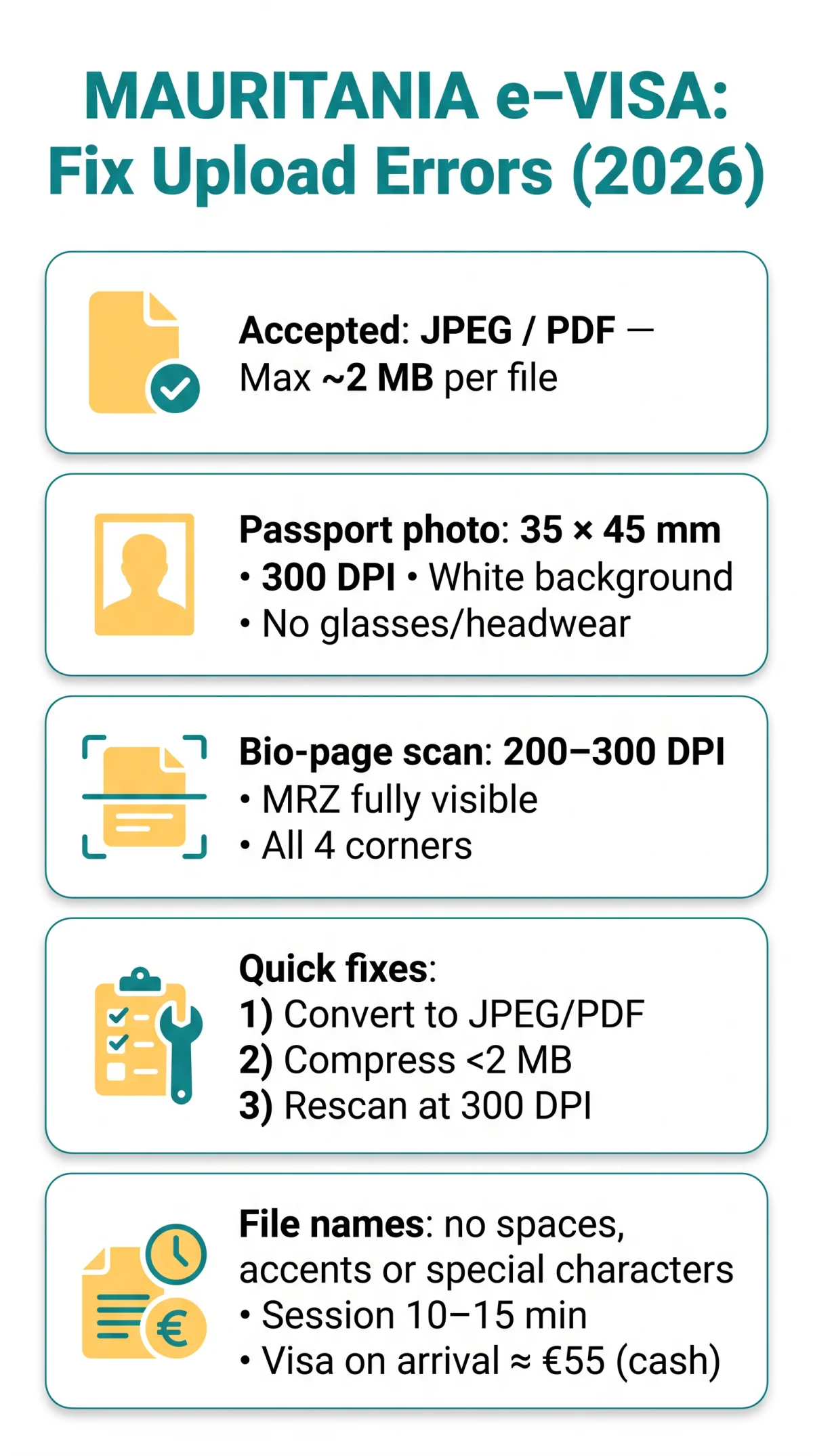
The ANRPTS portal accepts JPEG/JPG and PDF files; HEIC, WebP, TIFF, BMP, and RAW are unsupported and must be converted before uploading.
Only JPEG/JPG and PDF are accepted. Convert HEIC (iPhone default), WebP, TIFF, BMP, or RAW to JPEG. While some users report success with PNG, the portal may reject it – convert to JPEG unless the upload screen confirms PNG is allowed. To change iPhone settings: go to Settings > Camera > Formats > Most Compatible. For existing HEIC files, use Preview on Mac (export as JPEG) or free online converters such as CloudConvert or ILoveIMG.
The ANRPTS portal typically limits each file to ~2 MB. Scan passport pages at 200-300 DPI; photograph at minimum 300 DPI. Compress oversized images using TinyPNG or ILoveIMG without sacrificing legibility. File names must contain no spaces, no accented characters, and no special characters. Use simple names like passport_scan.jpg or applicant_photo.jpg to prevent silent upload crashes.
Passport Photo and Bio-Page Scan Requirements
Mauritania e-visa passport photos require a plain white background, neutral expression, 35×45 mm dimensions, and minimum 300 DPI resolution to avoid rejection.
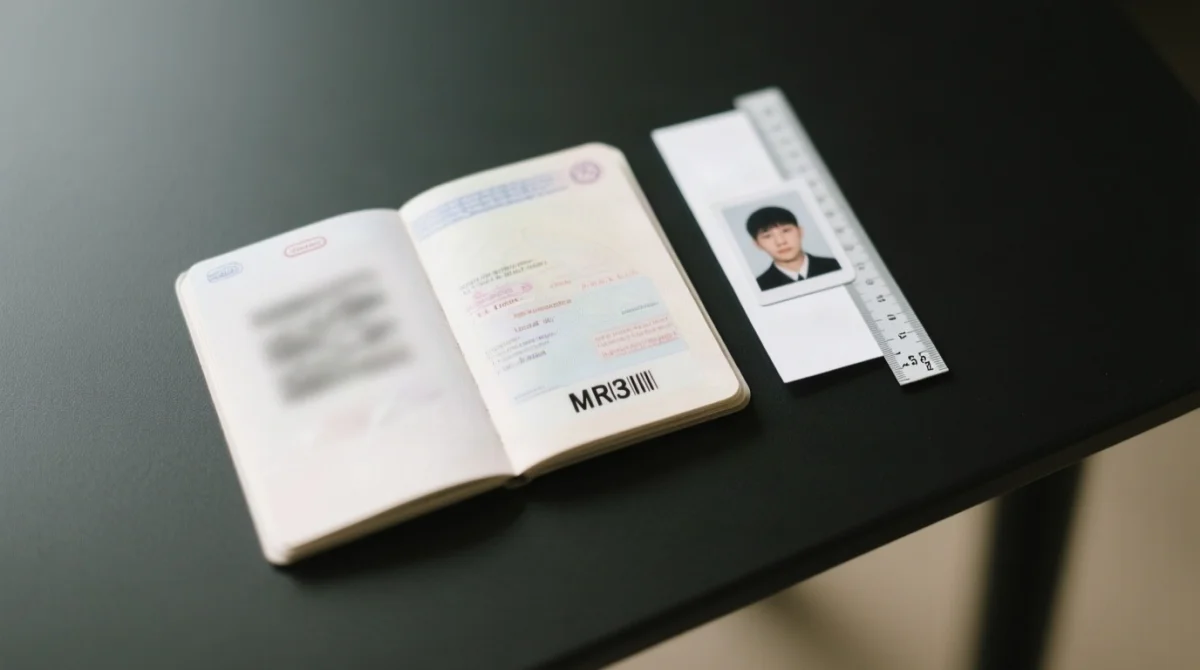
Accepted photos must measure 35 x 45 mm (600 x 750 px at 300 DPI) with a plain white background, neutral expression, no glasses (unless medical), and no headwear obscuring the face. UK passport photo booth standards provide a good baseline.
The ANRPTS portal auto-validates the MRZ – the two code lines at the bio-page bottom. The MRZ must be fully visible, uncropped, and free of glare. Scan at 200-300 DPI using a flatbed scanner or a dedicated app such as Microsoft Lens. Screenshots are not accepted, as they introduce compression artefacts and frequently crop critical edges. Place the passport flat on a dark surface with even lighting and ensure all four corners are visible.
Browser Settings and Common Upload Error Messages
The ANRPTS portal works best on latest desktop Chrome or Firefox; clear cache, disable ad-blockers and VPNs before re-attempting uploads.
For “Invalid file format” or “Session expired” errors, switch to latest desktop Chrome or Firefox. The portal works reliably on Chrome 120+ and Firefox 125+. If using Safari or mobile browsers, switch before uploading. Clear cache and cookies: Chrome (Settings > Privacy > Clear browsing data); Firefox (Settings > Privacy > Cookies and Site Data). Disable VPNs and ad-blockers, as the Mauritania e-visa upload failure can be triggered by script-blocking extensions or non-standard IP connections. The portal session may expire after 10 to 15 minutes of inactivity, so upload all files in one sitting without pausing.
| Error Message | Quick Fix |
|---|---|
| File too large | Compress the image to under 2 MB using a free tool such as TinyPNG. |
| Invalid file format | Convert the file to JPEG or PDF before re-uploading. |
| Session expired | Log in again and upload immediately within the 10 to 15 minute session window. |
| Upload failed, please try again | Clear browser cache, switch to desktop Chrome or Firefox, and disable your VPN. |
If uploads still fail, contact the ANRPTS help centre via the “مركز المساعدة” menu item on anrpts.gov.mr. UK citizens can also obtain a visa on arrival at Nouakchott-Oumtounsy International Airport for approximately 55 EUR in exact cash (EUR or USD, no change given), confirmed by GOV.UK travel advice as of 2026. Requirements may change – verify before travelling. Commercial assistance is available from CIBTvisas (, tel. 0844 8004650, 09:00-17:00), offering visa pre-check services (fees separate from government fees; not affiliated with any government body).
If your Mauritania e-visa upload has failed, the three most common causes are: (1) your photo does not meet size or background requirements, (2) your passport scan is blurry or crops the Machine Readable Zone, or (3) the file is in an unsupported format like HEIC.
Convert to JPEG or PDF
Ensure your file is in an accepted format – convert HEIC, WebP, TIFF, BMP, or RAW to JPEG before uploading.
Compress to under 2 MB
Use TinyPNG or ILoveIMG to reduce file size below the 2 MB limit without sacrificing legibility.
Rescan at 300 DPI
Re-scan your passport at 300 DPI ensuring the MRZ is fully visible, uncropped, and free of glare.
FAQ: Mauritania e-Visa Upload Issues
Why does my Mauritania e-visa photo keep getting rejected?
Photo rejections stem from non-white background, obscured face, glasses reflections, or wrong dimensions. The ANRPTS portal expects 35 x 45 mm at 300 DPI. Ensure a clear, front-facing headshot on a plain white background with no filters.
What file formats does the ANRPTS portal accept for e-visa uploads?
The portal accepts JPEG (or JPG) and PDF files. PNG may work but files are often larger. Avoid HEIC, WebP, TIFF, and BMP – convert to JPEG before uploading. File names should use no spaces or special characters.
How do I convert an HEIC photo from my iPhone to JPEG?
Go to Settings > Camera > Formats > Most Compatible to save future photos as JPEG. To convert existing HEIC photos, open in Preview on Mac and export as JPEG, or use a free online converter such as CloudConvert or ILoveIMG.
What is the maximum file size for uploads on the Mauritania e-visa portal?
The ANRPTS portal typically limits individual file uploads to around 2 MB. Check the portal’s upload screen for the exact limit displayed at submission time. Use TinyPNG or ILoveIMG to compress large files without significant quality loss.
My passport scan looks blurry. How can I fix it?
Use a dedicated scanner app like Microsoft Lens or Adobe Scan rather than a regular phone camera. Place the passport flat on a dark surface with even lighting and no glare. Scan at 300 DPI. The Machine Readable Zone at the bottom of the bio-page must be fully visible and legible.
Can I use a screenshot of my passport instead of a scan?
No. Screenshots typically have lower resolution, compression artefacts, and may be missing edges. Use a proper scan or a high-resolution photograph of the passport page taken straight-on with all four corners visible.
Can I get a visa on arrival in Mauritania if my e-visa upload keeps failing?
Yes, UK citizens can obtain a visa on arrival at Nouakchott airport. You will need to pay approximately 55 Euros in exact cash (EUR or USD) with no change given. However, the e-visa is recommended as it guarantees entry and avoids airport queues.
What should I do if the ANRPTS portal says my session expired?
The ANRPTS portal session may expire after 10 to 15 minutes of inactivity. If you see a session expired error, log in again, re-enter your data, and upload your files immediately without pausing. Do not leave the upload page idle.