The Mauritania e visa digital photo must be a JPEG file of 480 × 640 pixels (maximum 400 KB), with a plain white background and a neutral facial expression. Glasses are permitted only without glare; religious head coverings are allowed if the full face remains visible. The photo must have been taken within the last six months. Since 5 January 2025, visa on arrival is no longer available; all applications must be submitted online via the e-visa system.
Published 2026. Last reviewed 10 September 2026. This guide is based on requirements published by the ANRPTS (anrpts.gov.mr) and ICAO Doc 9303 biometric standards.
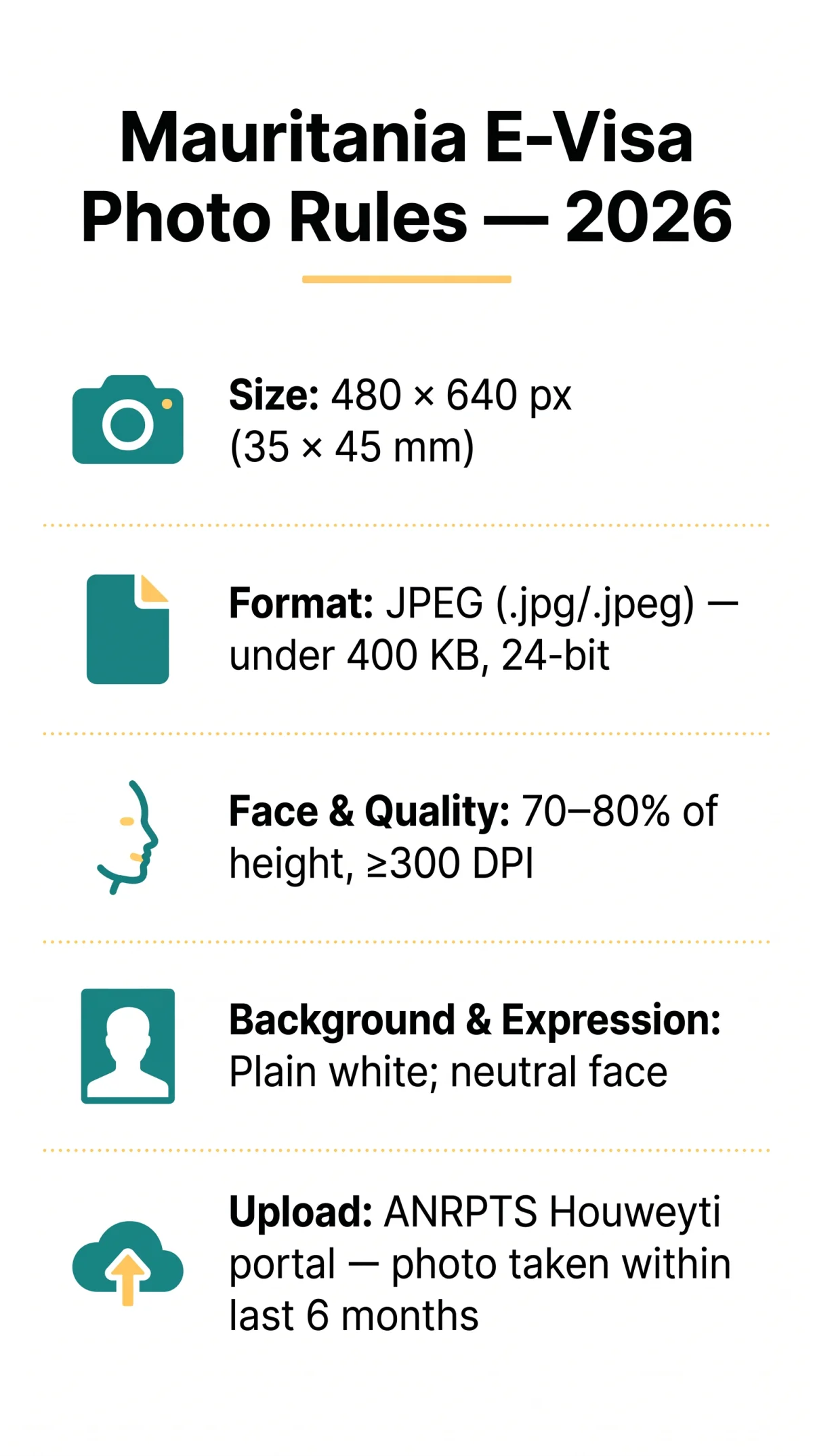
To avoid rejection, applicants must submit this digital passport photo via the ANRPTS Houweyti portal. Ensure the image meets the 300 DPI resolution requirement and that the face occupies 70 to 80 per cent of the frame, in accordance with ICAO Doc 9303 biometric standards.
Photo Dimensions, Format & File Size
The Mauritania e visa digital photo must be exactly 480 × 640 pixels, saved as a JPEG file under 400 KB, and taken within the last six months. The face must occupy 70-80% of the image height, with a minimum resolution of 300 DPI and 24-bit colour depth recommended for biometric clarity. The physical print equivalent is 35 × 45 mm.
| Parameter | Required Value |
|---|---|
| Pixel dimensions (W × H) | 480 × 640 px |
| Physical print size | 35 × 45 mm |
| Face-to-frame ratio | 70-80% of image height |
| Accepted file format | JPEG (.jpg /.jpeg) only |
| Maximum file size | Under 400 KB |
| Minimum resolution | 300 DPI |
| Colour depth | 24-bit colour recommended |
| Photo recency | Taken within the last 6 months |
Non-compliant Mauritania e visa digital photo files trigger automatic rejection and delay visa processing.
Background, Lighting & Facial Expression
The Mauritania e visa digital photo must comply with a plain white background as specified by ICAO Doc 9303. Off-white is acceptable; light grey is borderline and should be avoided in favour of pure white. Patterns, textures, landscapes, curtains, and any visible shadows on the background are prohibited and will trigger rejection.
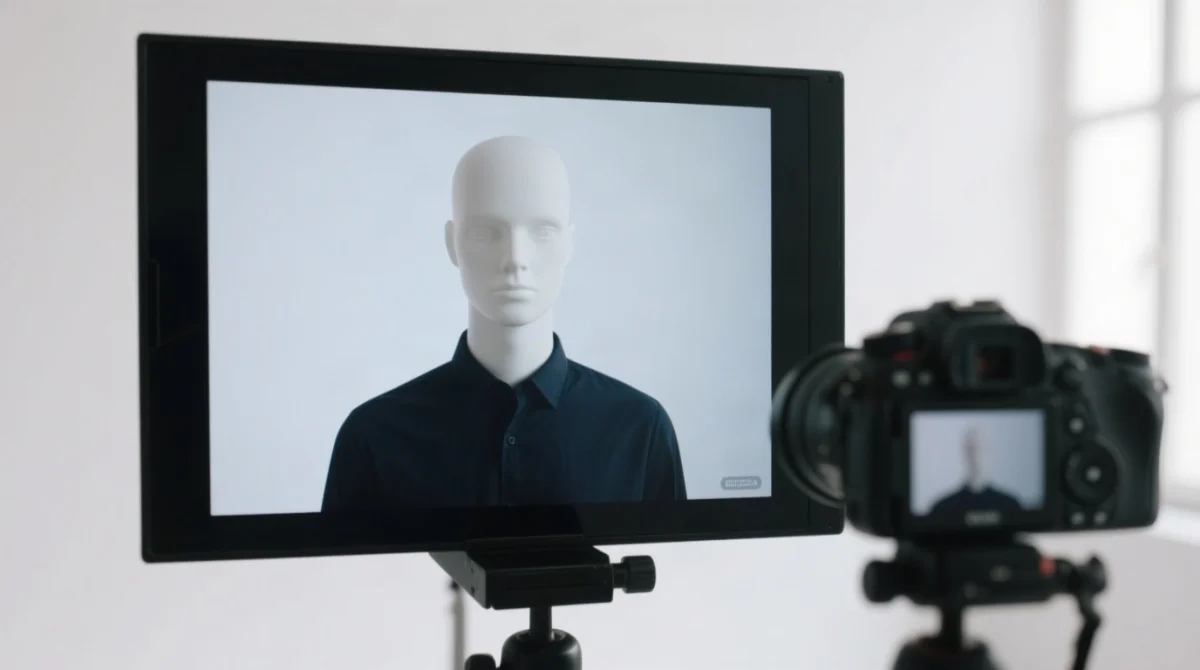
Use even, diffused light; natural window light is best. Avoid direct flash, standing too close to the background, or overhead lighting, which cause glare and shadows. The Mauritania e visa digital photo must show no shadows on the face or behind the subject.
The photo must display a neutral expression with the mouth closed, both eyes open, and no smiling or frowning. The head must face directly toward the camera in a full frontal view, level and not tilted. The face must occupy approximately 70 to 80% of the total image height.
Wear dark, solid-coloured clothing; avoid white shirts, uniforms, large logos and sleeveless tops. Religious attire (thobe, abaya) is acceptable if the face is fully visible.
Glasses & Head Coverings Rules
Glasses must show both eyes without glare; religious head coverings must leave the full facial oval visible in the Mauritania e visa digital photo.
Prescription glasses are allowed in the Mauritania e visa digital photo only if the lenses produce no reflection and the frames do not obscure the eyes. Sunglasses, tinted lenses, and photochromic lenses are always prohibited under ICAO Doc 9303 standards. If glare persists after cleaning the lenses, applicants should remove the glasses entirely.
Head coverings such as hijabs, turbans, and kufis are permitted for religious or medical reasons only. The full face oval must remain visible from hairline to chin and ear to ear, with no shadows cast on the face by the covering. Non-religious headwear, including hats, caps, and beanies, is always prohibited. Medical bandages require supporting documentation from the nearest Mauritanian embassy or the ANRPTS.
| Item | Verdict | Reason |
|---|---|---|
| Prescription glasses (thin frames, no glare) | Accepted | Eyes fully visible |
| Sunglasses or tinted lenses | Rejected | Eyes obscured |
| Religious hijab (face oval visible) | Accepted | Full face visible |
| Baseball cap or beanie | Rejected | Non-religious headwear |
| Medical bandage (with documentation) | Accepted | With documentation |
How to Take, Upload & Avoid Rejection
Take the photo
Use a smartphone back camera (minimum 8 MP) facing a plain white wall. Stand in front of a window for even, diffused light and avoid direct flash.
Crop and save
Crop to 480 × 640 pixels, confirm minimum 300 DPI, and save as JPEG under 400 KB. Free tools such as offer auto-crop with face detection and auto background removal, supporting 70+ country templates in under 5 minutes ($0.20 per 4R print).
Upload
Go to anrpts.gov.mr and access the Houweyti Portal. Create an account or log in, navigate to the e-visa section, and upload the JPEG file. Preview to confirm the full face is visible with no forehead or chin cropping.
| Rejection Reason | Fix |
|---|---|
| Wrong pixel dimensions (not 480 × 640) | Re-crop to exact 480 × 640 px ratio |
| File exceeds 400 KB | Compress JPEG further; keep under 400 KB |
| Wrong format (PNG instead of JPEG) | Re-export as.jpg or.jpeg |
| Background not plain white | Retake against a white wall or use auto background removal |
| Glasses glare obscuring eyes | Clean lenses, tilt glasses slightly down, or remove them |
FAQ: Mauritania E-Visa Digital Photo Requirements
What is the correct size for a Mauritania e visa digital photo?
480 × 640 px (35 × 45 mm print equivalent), face occupying 70-80% of the image height.
What file format is accepted for the Mauritania e visa digital photo?
JPEG (.jpg/.jpeg), under 400 KB, minimum 300 DPI; 24-bit colour recommended.
Is a white background required for the Mauritania visa photo?
Yes. A plain, uniform white background is mandatory; patterns, shadows, or coloured backgrounds will cause rejection.
Can I wear glasses in my Mauritania e visa digital photo?
Prescription glasses are allowed only if both eyes are fully visible with no glare. Sunglasses and tinted lenses are always prohibited.
Can I wear a hijab in my Mauritania e visa digital photo?
Yes. Religious head coverings are permitted provided the full oval of your face, from hairline to chin and ear to ear, remains visible with no shadows.
How old can my photo be for a Mauritania e visa application?
Within the last six months; older photos will be rejected.
Do I need to print my Mauritania e visa digital photo?
No. The e-visa is digital and the photo is embedded electronically. Carrying a printed copy of the e-visa approval is recommended for travel.
What happens if my Mauritania e visa digital photo is rejected?
You must upload a new, compliant photo before your application can be processed, which may delay visa approval.
How do I take a compliant Mauritania visa photo at home?
Use a smartphone back camera, face a plain white wall, stand in front of a window for even lighting, keep head level and eyes open, then crop to 480 × 640 px and save as JPEG under 400 KB.
Are there free tools to check my Mauritania e visa digital photo?
Yes. Tools such as and 7ID by Visafoto can verify dimensions, background colour, and face positioning before submission.