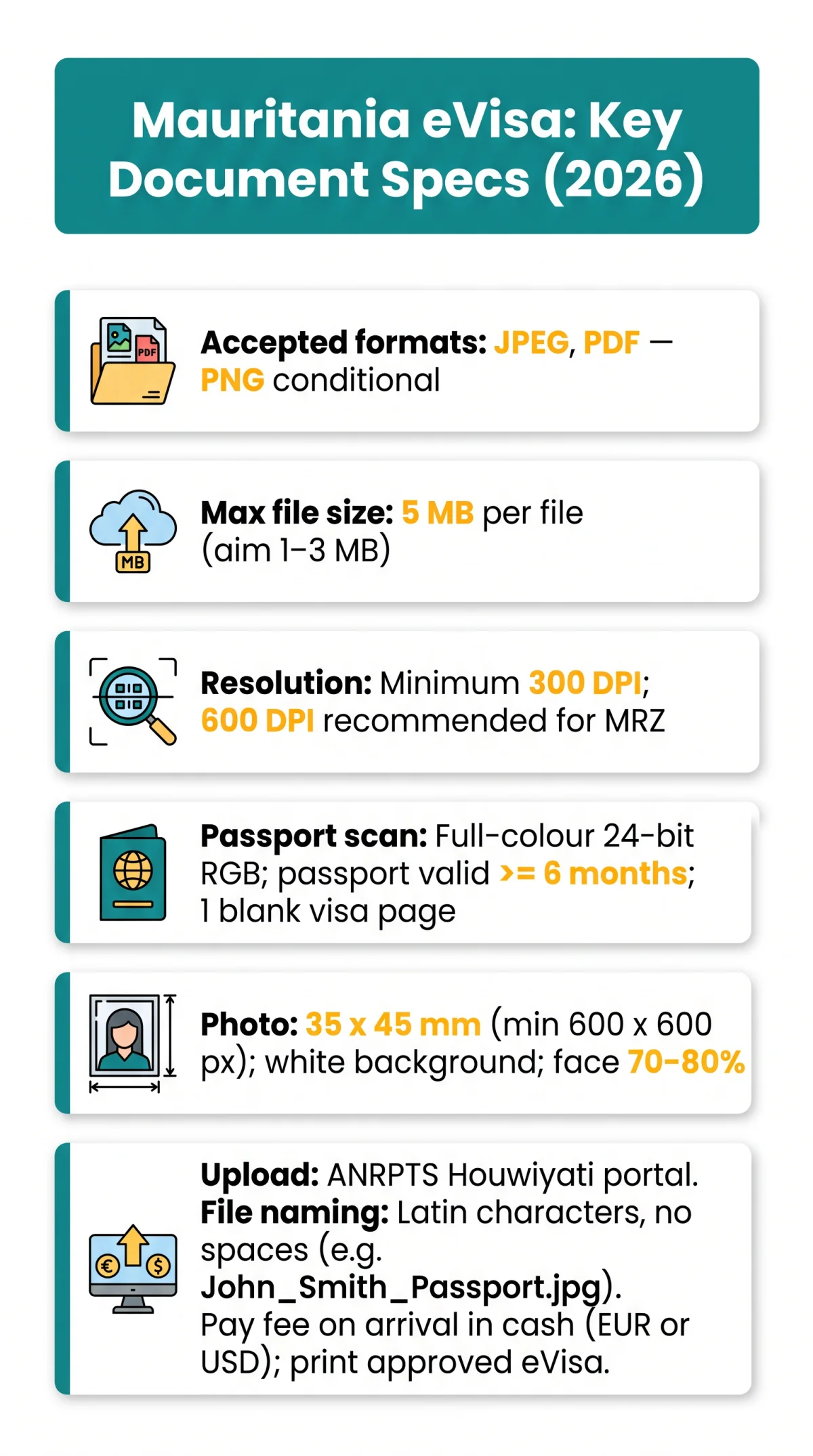
Mauritania eVisa documents must be uploaded as JPEG or PDF files under 5 MB each at a minimum 300 DPI resolution. A valid colour passport bio-page scan and a 35 x 45 mm digital photo on a white background are required. Correct file naming, image clarity, and format conversion prevent the most common application rejections.
For the Mauritania eVisa, upload your passport scan and photo as JPEG or PDF files, each under 5 MB, at a minimum 300 DPI resolution in full colour. Use a white-background passport photo sized 35 x 45 mm (minimum 600 x 600 px). Avoid HEIC, TIFF, and WEBP formats, and name files without spaces or special characters.
Last updated: 10 September 2026. This guide reflects the current specifications of the ANRPTS Houwiyati portal and UK government travel advice (gov.uk). This is an unofficial informational resource for UK tourists; always verify the latest requirements on the ANRPTS Houwiyati portal before submitting your application.
What Documents Do You Need to Upload for a Mauritania eVisa?
A Mauritania eVisa requires five eVisa Mauritania documents: a colour passport bio-page scan, a passport-style digital photograph, proof of accommodation, a bank statement, and an optional invitation letter.
- Passport bio-page colour scan – full-colour scan of the data page; passport must be valid ≥ 6 months from date of entry and contain at least 1 blank visa page.
- Passport-style digital photograph – 35 x 45 mm, minimum 600 x 600 px, plain white background.
- Proof of accommodation – hotel booking confirmation or host invitation letter.
- Bank statement – proof of sufficient funds for the trip.
- Invitation letter – recommended for quicker approval (source: ).
Upload all eVisa Mauritania documents via the ANRPTS Houwiyati portal (interface in Arabic). Pay the eVisa fee on arrival in exact cash (EUR or USD) – no change given (source: gov.uk). Print a physical copy of the approved eVisa for presentation at the border.
Accepted File Formats and Size Limits for eVisa Mauritania Documents
PDF and JPEG are fully accepted for eVisa Mauritania documents; PNG is conditional; HEIC, TIFF, WEBP, and BMP are rejected by the Houwiyati portal.
| Format | Accepted? | Best For |
|---|---|---|
| ✅ | Multi-page docs (bank statements, hotel bookings) | |
| JPEG / JPG | ✅ | Passport scan, passport photo |
| PNG | ⚠️ Conditional | Some portal builds reject it; JPEG is safer |
| HEIC | ❌ | iPhone default; convert to JPEG first |
| TIFF | ❌ | Too large; not supported |
| WEBP | ❌ | Android/web default; convert to JPEG |
| BMP | ❌ | Uncompressed; file size too large |
Each file must be under 5 MB. Compress oversized eVisa Mauritania documents to 1-3 MB JPEG at 300 DPI using:
- – free, browser-based; upload PDF, compress, download.
- Phone native – iPhone: Settings → Camera → Formats → “Most Compatible” (saves as JPEG instead of HEIC).
- Canva export – upload scan, download as JPEG with quality slider at 80-90%.
Scan Quality, Resolution & Capture Methods for eVisa Mauritania Documents
eVisa Mauritania documents require minimum 300 DPI full-colour scans; smartphone captures are accepted when using scanning apps with glare-free, even lighting.
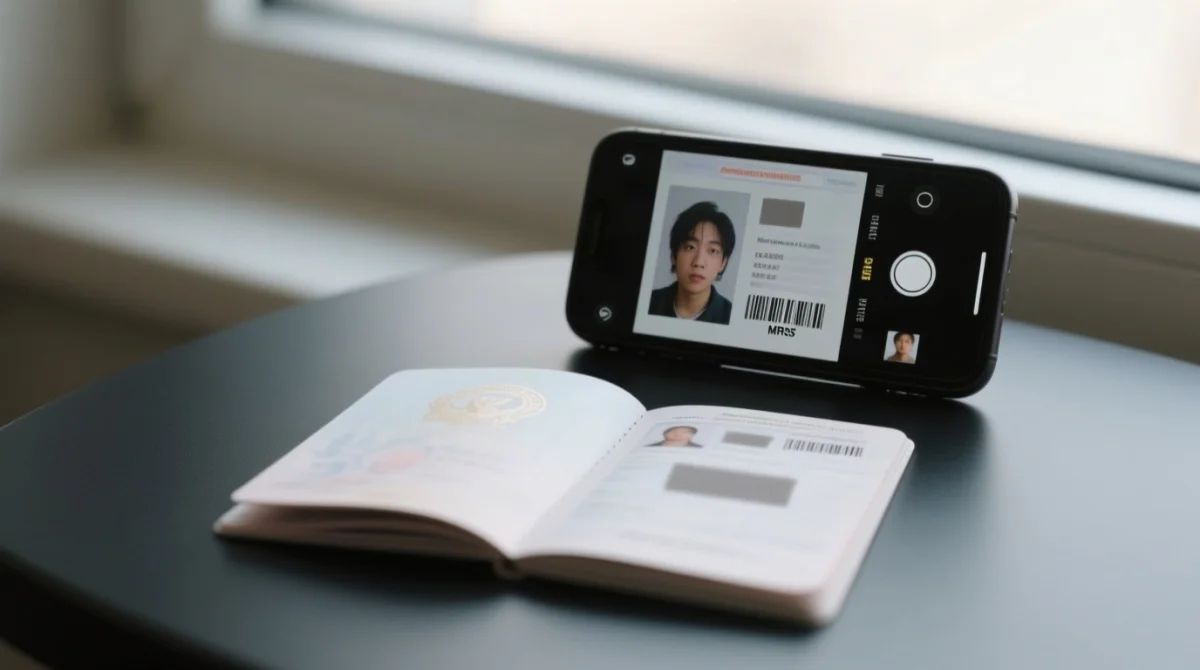
Scans must be at least 300 DPI; 600 DPI is optimal for MRZ (Machine Readable Zone) readability. Scans below 300 DPI will be rejected because automated MRZ readers at Mauritanian border control cannot parse the two-line machine-readable code on your passport bio-page.
Colour depth matters: 24-bit RGB full colour is required for the passport bio-page scan, as security features, hologram indicators, and MRZ data need colour to be machine-readable. Greyscale is acceptable only for supporting eVisa Mauritania documents such as hotel bookings and bank statements.
A “clear scan” (per ) means no blur, no glare from flash, no shadows from curled pages, flat alignment, and even lighting across the entire page.
Smartphone captures of eVisa Mauritania documents are accepted when using a dedicated scanning app: Adobe Scan, Microsoft Lens, or the iPhone Notes scanner. Place your passport on a dark, flat surface, shoot from directly above, and use natural daylight. Avoid direct camera flash, curled passport edges, and tilted angles.
Digital Passport Photo Specifications
The eVisa Mauritania digital passport photo must be 35 x 45 mm (minimum 600 x 600 px) with a plain white background and the face occupying 70-80% of the frame.
| Attribute | Requirement |
|---|---|
| Dimensions | 35 x 45 mm |
| Minimum pixels | 600 x 600 px |
| Aspect ratio | 35:45 (≈ 7:9) |
| Background | Plain white or off-white |
| Face coverage | 70-80% of frame |
| Expression | Neutral, mouth closed |
| Glasses | Remove (no glare, no tint) |
| Lighting | Natural, even, no harsh shadows |
| Recency | Taken within last 6 months |
UK tourists can use the same 35 x 45 mm photo booth output as for UK passport photos. Free resizing tools for eVisa Mauritania documents include iVisa Photos, 123PassportPhoto, and Passport Photo Online.
Common Upload Errors and How to Fix Them (2026)
The five most frequent eVisa Mauritania document upload errors – oversized file, unsupported format, corruption, low resolution, and browser freeze – are each fixable with compression, conversion, re-scanning, or switching browsers.
| Error | Cause | Fix |
|---|---|---|
| “File too large” / upload timeout | File exceeds 5 MB | Compress to 1-3 MB JPEG using or phone export settings |
| “Unsupported format” | HEIC (iPhone) or WEBP (Android) file | Convert to JPEG via or change camera settings to “Most Compatible” |
| “File corrupted” | Edited PDF in Preview app; partial upload | Re-scan from scratch; avoid editing in Preview or browser |
| “Image too small / low resolution” | Scan below 300 DPI | Re-scan at ≥ 300 DPI; verify scanner settings first |
| Portal freezes / upload hangs | Browser incompatibility (older Safari on iOS) | Switch to Google Chrome; clear cache; try incognito mode |
When naming eVisa Mauritania documents, use Latin characters only – no spaces, no special characters, no accented letters. Recommended format: Firstname_Lastname_Passport.jpeg. ✅ John_Smith_Passport.jpg ❌ John Smith's passport (1).HEIC
For multi-page eVisa Mauritania documents such as bank statements or hotel bookings, combine all pages into a single PDF rather than uploading separate image files.
FAQ: eVisa Mauritania Documents Upload
What file formats are accepted for Mauritania eVisa uploads in 2026?
PDF and JPEG are fully accepted for eVisa Mauritania documents; PNG is conditional. HEIC, TIFF, WEBP, and BMP are rejected and must be converted before uploading.
What is the maximum file size I can upload for my eVisa Mauritania documents?
Each file must not exceed 5 MB. Compress oversized eVisa Mauritania documents to 1-3 MB JPEG before submission.
Can I upload a black-and-white scan of my passport?
No. A full-colour 24-bit RGB scan is required for the passport bio-page. Greyscale is acceptable only for supporting eVisa Mauritania documents such as hotel bookings and bank statements.
How do I convert an iPhone HEIC photo to JPEG for the eVisa upload?
Use , a free browser-based tool, to convert HEIC files to JPEG. Alternatively, change iPhone camera settings to “Most Compatible” to save images as JPEG instead of HEIC.
What are the passport photo dimensions for a Mauritania eVisa?
The eVisa Mauritania documents photo must be 35 x 45 mm, minimum 600 x 600 px, white background, face covering 70-80% of frame. UK tourists can use the same 35 x 45 mm photo booth output as for UK passport photos.
Which browser works best for uploading eVisa Mauritania documents?
Google Chrome is recommended for uploading eVisa Mauritania documents. Older Safari versions on iOS may cause portal freezes or upload hangs.
How long does document review take after uploading?
Processing times vary; check the ANRPTS Houwiyati portal for status updates on your eVisa Mauritania documents.
Do I need to upload hotel bookings and flight reservations as eVisa Mauritania documents?
Yes, proof of accommodation is required. Combine multi-page eVisa Mauritania documents into a single PDF before uploading.
What happens if my eVisa Mauritania documents are rejected due to quality issues?
You can re-upload corrected eVisa Mauritania documents and resubmit. Address the specific error: re-scan at ≥ 300 DPI, convert to an accepted format, compress to under 5 MB, and rename using Latin characters only.
Can I use a smartphone photo of my passport for the eVisa application?
Yes, smartphone captures are accepted for eVisa Mauritania documents when using Adobe Scan, Microsoft Lens, or iPhone Notes scanner under even lighting with no glare, shadows, or tilted angles.